For Homes Across Toronto & the GTA

Residential Security Systems Designed Around Your Home

Home security is most useful when it is planned around the property, the people who live there and the situations you actually want to know about. TNSG designs and installs residential security systems that provide better visibility around the home, meaningful alerts and practical control when you are there or away.

Property-Specific Design

Professional Installation

Remote Visibility & Alerts

What Matters at Home

Start With What You Want to Protect

The right system starts with the areas and situations that matter in daily life. For most homeowners, that means knowing who is approaching the property, what is happening around vehicles and entrances, and what occurs when no one is home.

Driveways & Vehicles

See activity around parked vehicles, garage, driveway approaches, especially during overnight hours or while the house is unattended.

Doors & Deliveries

Keep visibility around front entrances, visitors and deliveries without relying on someone being home or checking the door repeatedly.

Side & Rear Areas

Cover less visible paths, side gates, backyard access and other areas that can be difficult to monitor from inside the home.

Home While Away

Receive useful information about activity at the property when you are at work, travelling or away for an extended period.

How Protection Works

Decide What the System Needs to Do

Recording an incident can be useful, but it is only one part of home security. A properly configured system can help identify relevant activity, provide enough information to understand what is happening and support an appropriate response.

Detect Relevant Activity

Configured detection focuses attention on people, vehicles or movement in selected areas instead of treating every change in the scene as important.

Verify the Event

Live or recorded video helps you confirm what triggered an alert before you decide whether the situation requires any further action.

Deter When Appropriate

Lights, audible warnings or other active features can be configured for selected situations where an immediate visible response is useful.

Send the Right Alert

Notifications can be directed to the homeowner or a monitoring service, depending on how the system is set up.

Before Equipment Is Selected

Plan the Coverage Before Choosing Equipment

Two houses on the same street can need very different coverage. Before equipment is selected, TNSG considers how the property is approached, where important views are created or lost, and what conditions may affect reliable operation.

01

Approach Routes

Driveways, walkways, gates and common paths are reviewed to understand how people and vehicles typically reach the property.

02

Entry Points

Doors, garage access, lower-level entrances and accessible windows are considered when deciding where detection or visual coverage is most useful.

03

Camera Placement

Viewing angles are planned to capture useful detail while reducing blind spots, excessive overlap and views that add little practical value.

04

Night Conditions

Existing lighting, darkness, glare and reflections are considered because a camera position that works by day may perform differently at night.

05

Detection Areas

Zones and event rules are configured around the locations that matter, helping reduce unnecessary alerts from routine movement or distant activity.

06

System Infrastructure

Power, cabling, network coverage and recording requirements are reviewed so the installed system can operate consistently throughout the home.

Security Solutions

Security Systems & Technologies

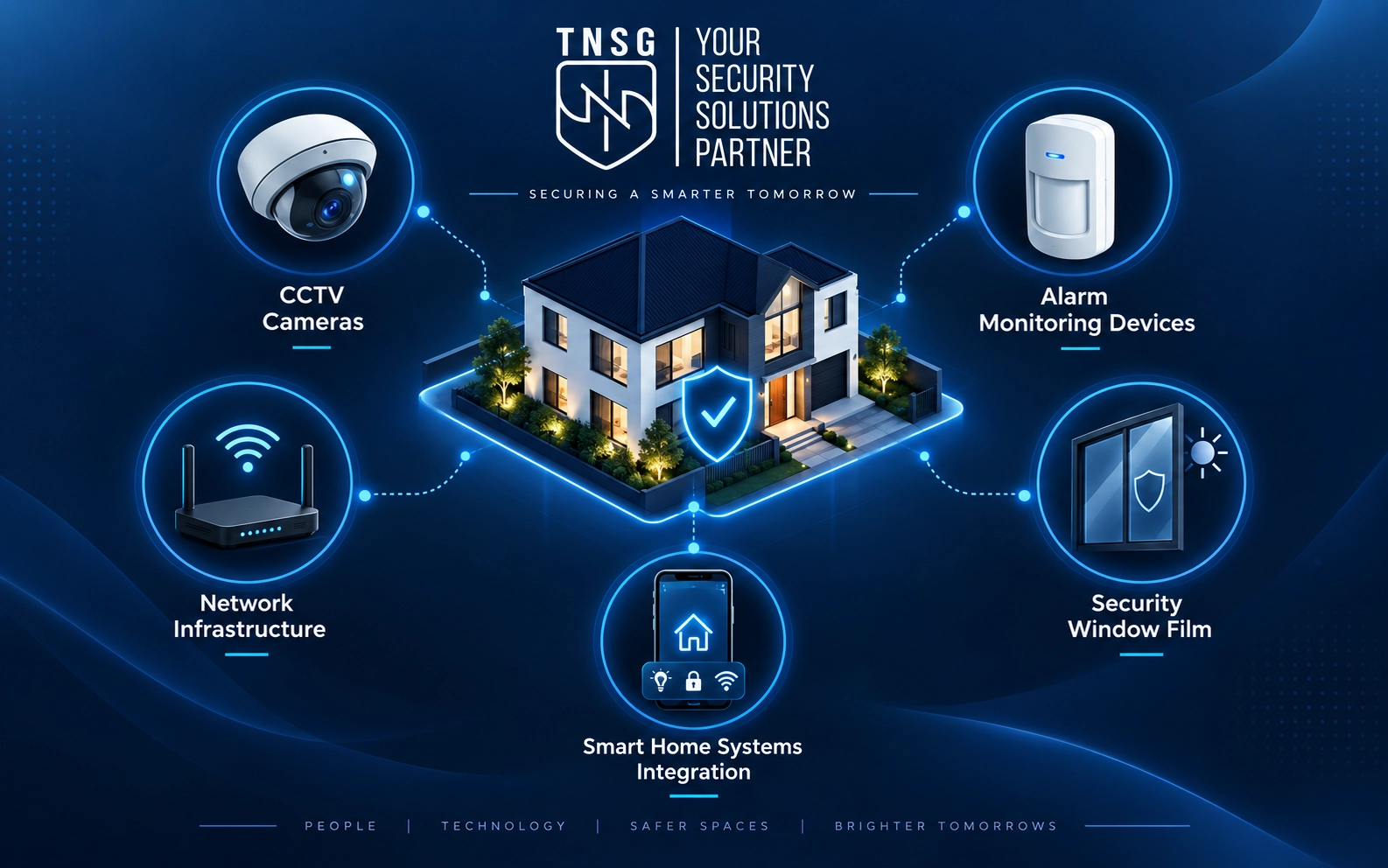
Each project may require a different combination of systems based on the property, risks and existing infrastructure. TNSG selects and integrates the right technologies to support a practical, coordinated security plan.

CCTV Installation

Plan camera coverage around entrances, blind spots and the details you need to capture.

Live Video Monitoring

Add real-time oversight to help verify suspicious activity and support a faster response.

Access Control

Manage who can enter specific doors or areas and update permissions as needs change.

Automatic Door Operators

Automate entry points for easier controlled access and integration with access control systems.

Fog Cannons

Rapidly reduce visibility after an intrusion is detected, making protected areas harder to navigate.

Long-Range CCTV

Extend reliable video coverage across large, remote or difficult-to-connect properties and perimeters.

Alarm Monitoring

Detect and report security events when no one is on site to notice them.

Network Infrastructure

Build the cabling and network foundation that connected security equipment depends on.

Security Window Film

Reinforce vulnerable glass to help delay forced entry and hold shattered glass together.
Living With the System

Make Home Security Practical to Use

A system only helps if it works naturally in everyday life. Day-to-day use should make it simple to check the property, understand alerts and manage access without turning home security into another task that constantly needs attention.

Relevant Notifications

Alert settings can be adjusted around the events you care about, helping reduce unnecessary notifications that are quickly ignored.

Remote Viewing

Live and recorded video can be accessed remotely so you can check the property without being physically at home.

Household Access

Appropriate users can be given access to the functions they need without making the system difficult for the household to manage.

Clear Controls

Apps, playback and basic system functions are configured so routine tasks remain straightforward after the installer has left.

How the Project Works

From Home Review to Handover

The process should be clear before work begins. TNSG moves from the homeowner’s concerns to a defined system plan, then installation, testing and a practical handover so you know what was installed and how to use it.

Discuss the Property

We start with the areas you want to protect, the problems you want to solve and any equipment already in place.

Review the Home

Relevant exterior and interior areas are assessed to confirm coverage needs, installation conditions and technical requirements.

Define and Install

The recommended system, equipment and scope are agreed before installation, configuration and connection work begins.

Test and Handover

Key functions are tested, access is set up and the homeowner is shown how to use the completed system.

Once the System Is in Use

Support Does Not End at Installation

Questions or new needs can appear after the system has been used for a while. TNSG remains available for service, adjustments and warranty-related support rather than treating the completed installation as the end of the project.

Service & Adjustments

If settings, devices or coverage need attention later, the system can be reviewed and adjusted without starting the project again.

Warranty Assistance

Applicable product and workmanship warranty issues can be addressed through TNSG, with the installed system and project history already known.

Client Experiences

Our biggest issue was having cameras, access control and alarms that were managed separately. TNSG helped simplify the setup and make incident review faster. The process was practical, organized and caused very little disruption to our daily operations.

Mike Ivanov, Manufacturing Company, Mississauga

We had several older security systems across the facility. TNSG reviewed what could stay, identified the main gaps and gave us a clear upgrade plan. The installation was well coordinated and the final system is much easier for our team to manage.

Daniel Mercer, Distribution Centre, Vaughan

We had cameras, alarms and access control from different stages of the property. TNSG helped us bring the system together, improve coverage and make day-to-day management much simpler. The recommendations were practical and clearly explained.

Travis Huff, Vaughan, ON
Before You Decide

Residential Security System FAQ

Homeowners usually have practical questions about installation, monitoring and day-to-day operation before choosing a system. These answers cover several points that are useful to understand before the project is defined.

Not necessarily. Monitoring is useful when you want certain alarms or video events handled while you are unavailable, but it is not required for every residential setup. The right choice depends on what you want the system to do and what type of response you expect.

Some system functions can operate without a recurring service fee, while professional monitoring, cloud services or certain connected features may involve ongoing costs. TNSG can separate equipment and installation costs from recurring services before you decide what to include.

That depends on how the system is configured. Local recording can continue on appropriately designed systems even when remote access is temporarily unavailable, while cloud-dependent or monitored functions may be affected. Backup communication options can be considered where they are needed.

Security equipment requires power, but selected components can be supported by battery backup or UPS equipment. The appropriate backup depends on which functions need to remain available and how long you want them to continue operating.

Yes. Camera type, mounting position, cable routing and equipment location can be considered as part of the design. The goal is to preserve useful coverage while keeping the finished installation appropriate for a residential property.

Usually, yes. Available cable routes, construction conditions and equipment locations are reviewed first so an installation method can be selected with as little unnecessary disruption to the finished home as practical.

Yes. Camera positioning and privacy masking can be used where appropriate to concentrate coverage on relevant parts of your property and reduce unnecessary views of neighbouring areas or other locations you do not need to monitor.

It depends on the number of devices, wiring requirements, existing infrastructure and property layout. Once the home and proposed system have been reviewed, TNSG can explain the expected installation scope and approximate project timing.

Contact TNSG

Tell Us About Your Security Needs

Tell us about the property, your current concerns and what you would like to improve. Our team will review the details and help determine the most appropriate next step, whether you need a new system, an upgrade or a professional assessment.

Prefer to speak with someone directly?

For technical support with an existing TNSG system, please visit our Help Center.

TELL US ABOUT YOUR PROJECT